 Clod Clash
Common errors
What an error message in the app means and what to do about it
The app always states the reason in plain words. Find the text you see on this page — next to it is what to do. “Ask the provider” means only your provider can fix it: the app has nothing to do with it.
A subscription cannot be added
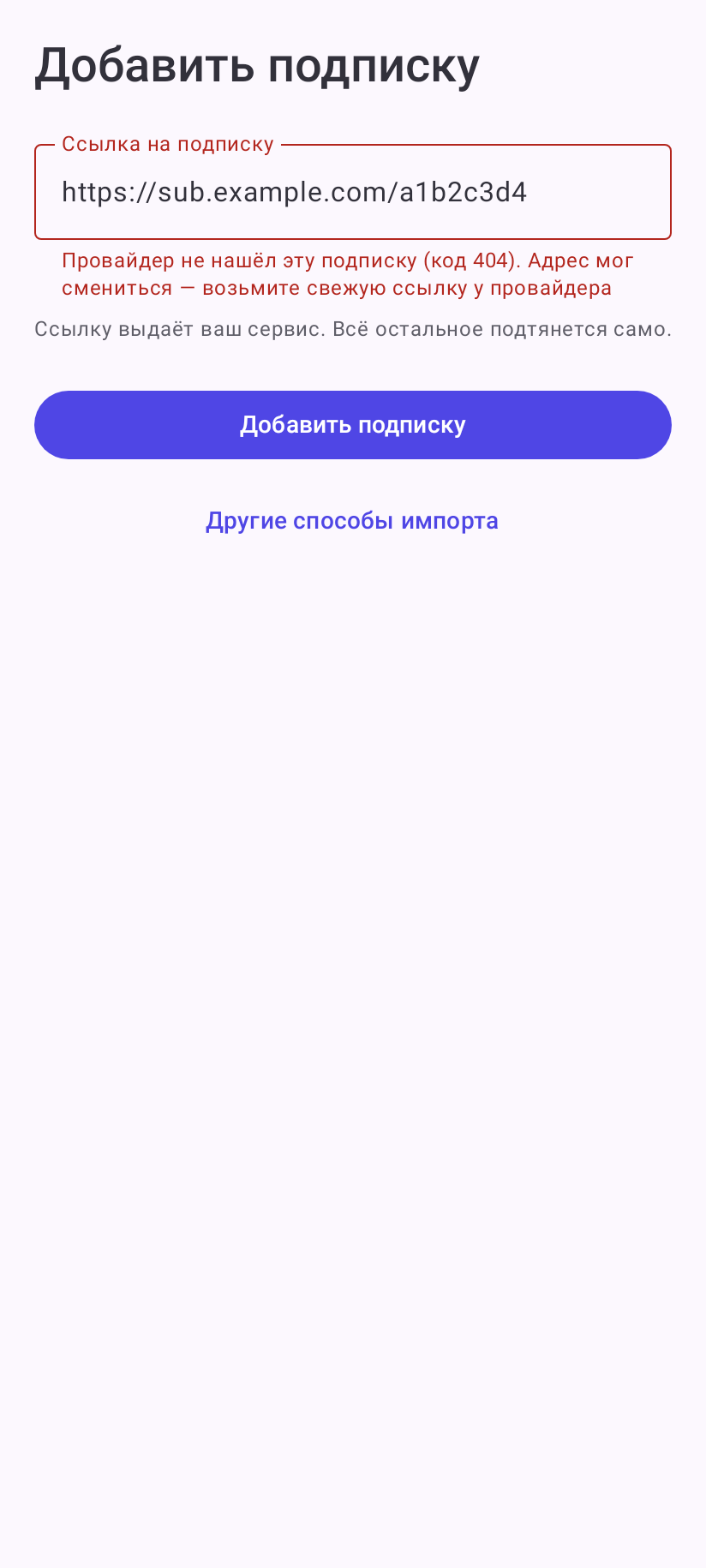
The reason appears in red under the link field. Nothing is saved — fix the link or wait for the provider and tap Add subscription again.
| Text | What it means and what to do |
|---|---|
| The address has to start with https:// | the field holds no link, or an http:// one. Copy the whole link |
| Another subscription is still loading… | wait for the previous download to finish |
| The provider did not find this subscription (code 404 or 410) | the link is outdated or copied partially. Get a fresh link from the provider's portal |
| The provider refused access (code 401, 402 or 403) | the subscription has expired or the device limit is reached — ask the provider |
| The provider's server is having trouble (code 5xx) | a failure on the provider's side, try later |
| The provider answered with code … | an unusual server answer — ask the provider |
| The provider's server is not responding | the secure channel did not answer three times in a row, and no network cause was recognised (when turning the channel on for an added subscription — also when the server answers with a 5xx error). Try later; if it repeats — ask the provider |
| The subscription server did not answer in time | slow or unstable internet. Try again, if needed over another network |
| The subscription server name could not be resolved | no internet, or the address changed. If the internet works — ask the provider for a new link |
| Could not connect to the subscription server… | no internet, or the server is unreachable from your network. Try later or over another network |
| The subscription server certificate failed the check… | check the date and time on the phone (better — “Automatic”). If they are right — ask the provider |
| The clock on the device is far off… | turn on automatic date and time in the Android settings |
| The address answered, but not with a subscription… | the link opens a website, not a subscription. Check the link; if it is right — ask the provider |
| The subscription contains no servers and no server sets… | this is how an expired subscription or used-up traffic looks — ask the provider |
| The subscription settings contain an error, and the core did not accept them | the provider sent a broken configuration — ask the provider |
| The answer is too large for a subscription… | the link does not lead to a subscription — check it |
| The provider redirected the request to an unencrypted address… | a misconfiguration on the provider's side; the app does not send data in the clear |
| The provider's answer failed the secure channel check… | try again. If it repeats on different networks — tell the provider: the answer may have been substituted on the way |
| The provider answered with something the secure channel does not understand… | the address is not a Clod Clash subscription, or the channel is off there — ask the provider |
The subscription does not update
Update errors are the same as when adding (table above), only they arrive as a “Failed to update” notification — unless Subscription update errors is off. The old servers keep working.
- “Not updated · updated …” on the subscription card — one auto update was missed.
- The Update the subscription frame on the card and a highlighted update icon on the home screen — missed twice in a row. Tap Update and look at the reason.
- “… updated, but not downloaded: …” — the subscription updated, but some server and rule sets did not download. Usually fixed by the next update; if not — ask the provider.
- The subscription does not update while the VPN is off — Android restricts the app in the background. Allow unrestricted battery: More → Unrestricted battery.
No servers
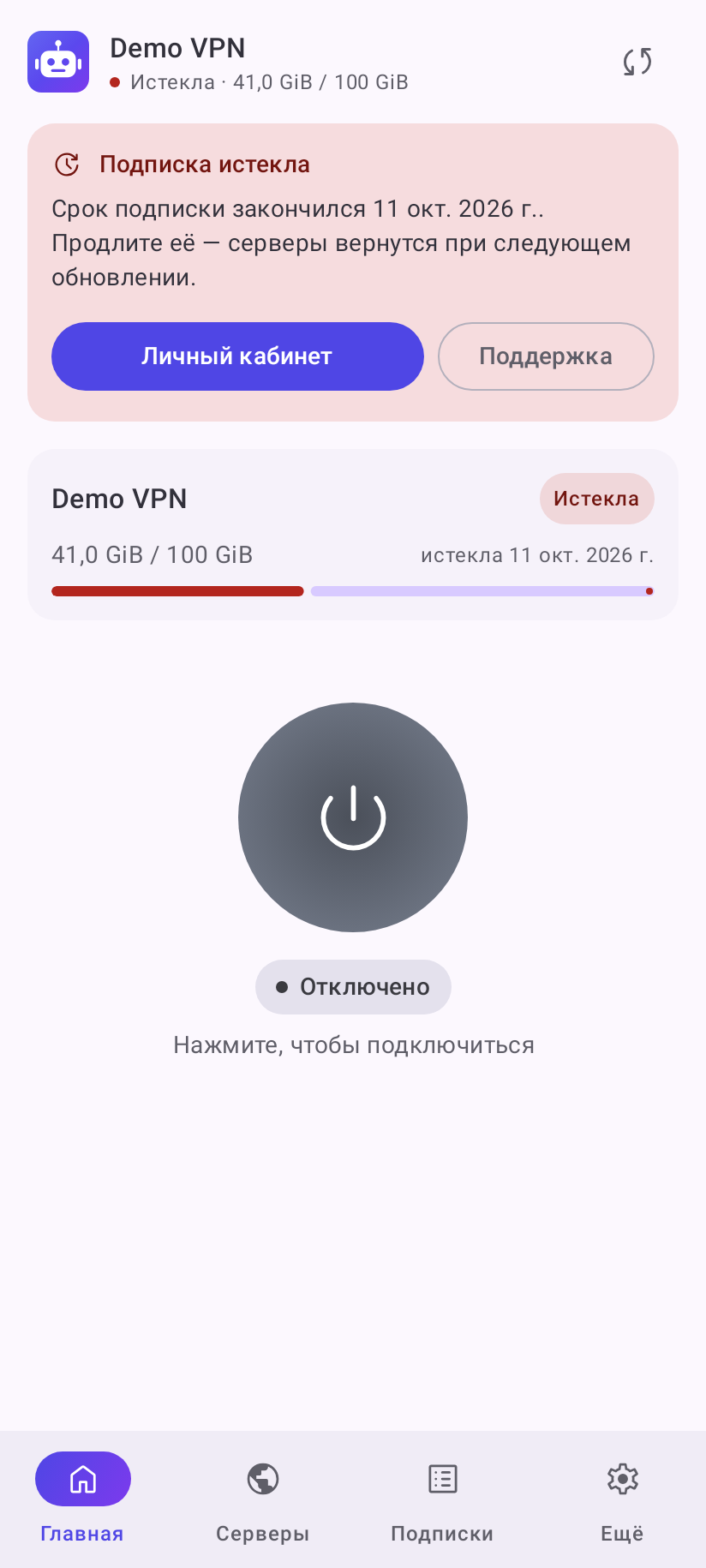
Instead of the server list there is a card with the reason, on the home screen and on the Servers tab.
| Card | What to do |
|---|---|
| Subscription expired | renew the subscription with the provider (the Customer portal button, if any). The servers come back with the next update — tap the update icon in the header |
| Out of traffic | buy more traffic or wait for the refill — the refill date is shown if the provider sends it |
| Device limit reached | too many devices use the subscription. Only the provider can free a slot — contact their support |
| Device not identified | turn on More → Look and behavior → Identify this device (the Settings button on the card) and update the subscription |
| The provider sent no servers | term and traffic are fine, but there are no servers — ask the provider |
After renewing or refilling, update the subscription — by itself it updates only at its interval.
Connection errors
| Text | What it means and what to do |
|---|---|
| The system did not open the VPN permission request | try again; if it repeats — restart the phone |
| Another app or the system took the VPN permission… | another VPN was turned on. Turn it off and connect again |
| Could not bring the tunnel up / The system did not allow the tunnel to be created | try connecting again; if it repeats — restart the phone |
| Always-on VPN cannot start while the proxy-only mode is active | turn on More → Network → Route system traffic or turn off always-on VPN in the Android settings |
| Failed to apply the subscription “…”: … “…” keeps running | the new version of the subscription was not accepted, the previous one works. If you changed anything in Core features → Override — reset it. Otherwise update the subscription later or tell the provider |
| The VPN connection kept dropping… | the system closed the tunnel many times. Connect again and lift the battery restriction |
| The service was restarted by the system … times in a row. Automatic restart is paused… | open the app and connect by hand. If it repeats — collect a log (see FAQ) |
| The system did not allow the service to start in the background… | open the app and connect from there; lift the battery restriction |
| Nothing to route through… Traffic is blocked… | global mode has no downloaded server. Update the subscription or switch back to Rule mode |
| Could not select this server… | the server list is outdated. Update the subscription and pick again |
| No server responded to the delay test | check whether the internet works without the VPN. If it does — the servers are unreachable from your network, tell the provider |
| The background service is not responding… | repeat the action; if that does not help — close the app and open it again |
These are not errors
“The system restarted the background part of the app — the connection was restored on its own” and “The system proxy was not announced… The VPN itself works as usual” are just information. The VPN keeps working.
The app update does not install
Messages during an app update and what to do about them — in Updates.
Nothing fits
Collect a log and write to the chat — see FAQ and Help and contacts.