 Clod Clash
Updates
How the app and the core get updated, and what pre-release builds are
App
The app checks for updates by itself — at launch and once a day — and when it finds a new version, shows a window with the list of changes. Update downloads and installs it; the download runs in the background.
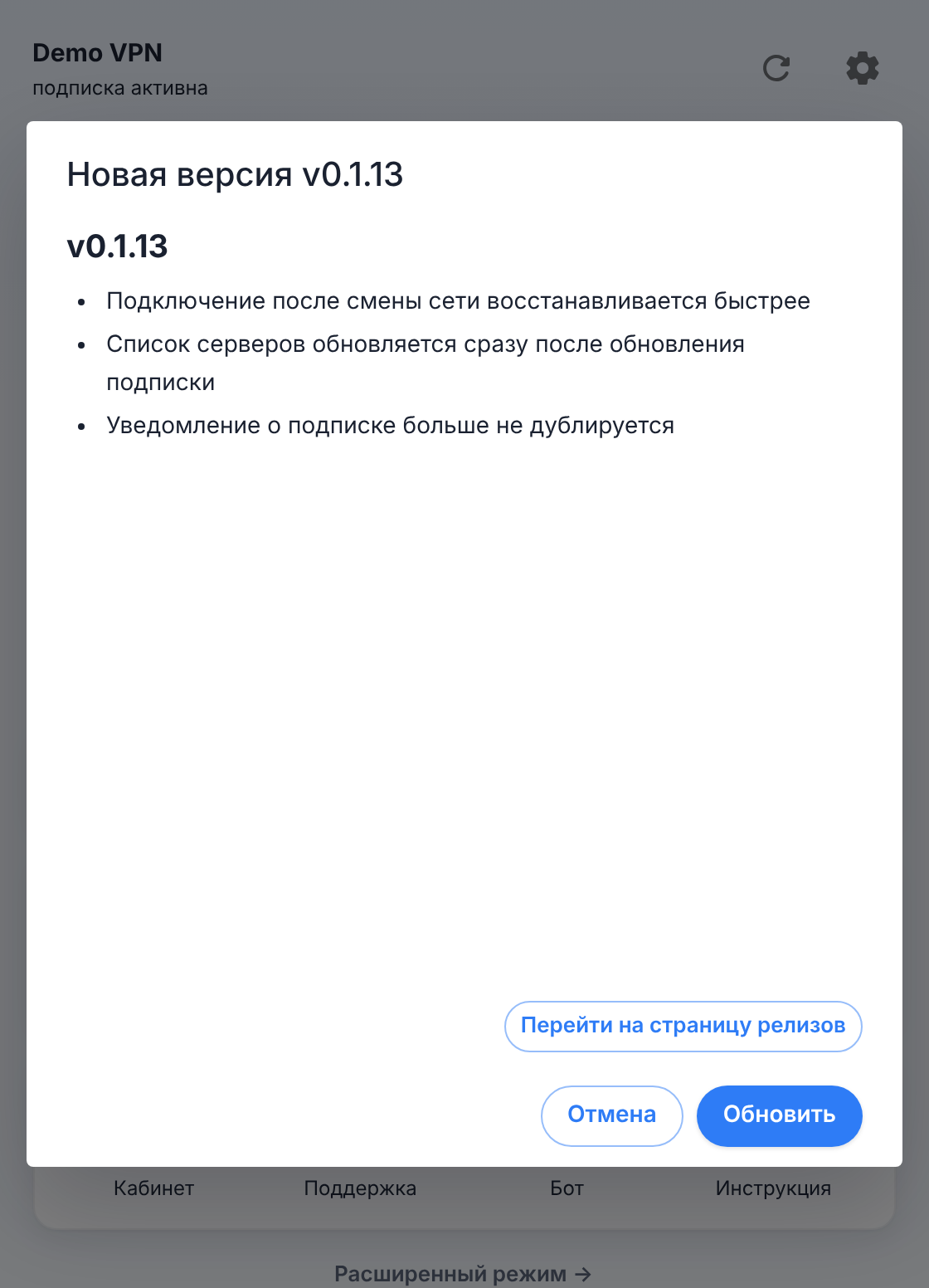
- Go to Release Page — open the release on GitHub.
- Cancel — close the window; the app won't offer this version again until the next launch.
To check manually: Settings → General, the gear in the Clod Version row. If the direct route to GitHub is blocked, the check is retried through the app's own proxy.
Automatic checks can be turned off: Advanced settings → Appearance and behaviour → Miscellaneous → Auto Check Update.
Windows portable build
The portable build doesn't update itself: it doesn't download updates in the background, and the update window offers the release page instead of the "Update" button. Get the new version from the download page.
Pre-release builds
Settings → General → Pre-release builds (off by default). With this switch on you get alpha and beta versions — new features and fixes show up in them earlier, but they're less tested. Without it — only stable releases. The permanent links on the download page always point to the latest regular version.
Core
Every build includes two cores; you switch between them in Settings → Advanced settings → Clash Setting → Clash Core:
- Clod Core (default) — our fork of stable Mihomo with fixed node checks and a new TLS fingerprint library. Details in Clod Core.
- Mihomo — the fallback core: the latest stable MetaCubeX release, unmodified. It never turns on by itself, only when chosen in this window.
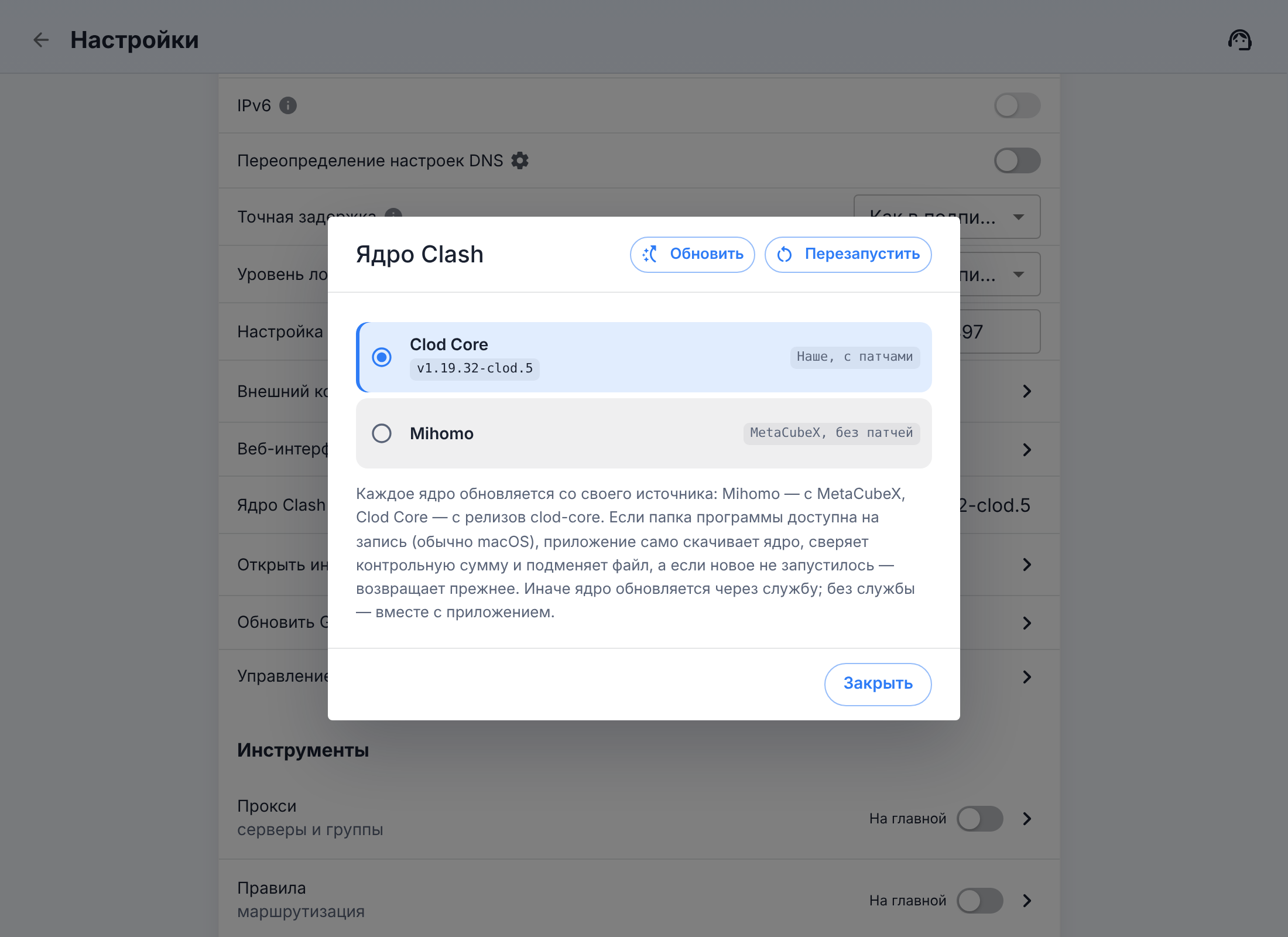
The core is updated together with the app. To update it separately, use the Upgrade button in the same window; each core is updated from its own releases (Clod Core from clod-core, Mihomo from MetaCubeX).
- If the program folder is writable (usually on macOS), the app updates the core itself: it downloads it, verifies the checksum, swaps the file, and if the new core fails to start, restores the previous one. A stopped core can't be updated this way.
- Otherwise the core updates itself through the background service. Without the service (on Windows, on Linux from a package) the button shows a hint: the core will be updated together with the app. Stock Mihomo on Windows leaves an extra copy of itself after an update, which holds the port until the computer restarts — the button warns about this in advance.
Subscription
The subscription (server list, traffic, expiry) is updated separately from the app — on its own at an interval or manually. Details in Adding a subscription.