 Clod Clash
Quick start
From installation to your first connection in five minutes
Clod Clash connects your computer to a VPN service using a subscription link. The link comes from your provider — in your account dashboard, a bot or an email. From it the app downloads the servers, rules, remaining traffic and expiry date on its own; you don't need to enter anything by hand.
Screenshots show the Russian interface; the English one has the same layout.
Four steps
Install the app for your system from the download page. Details are in Installation.
Add a subscription. On first launch the home screen shows the "Add your subscription" field. Paste the link and press Add. Details are in Adding a subscription.
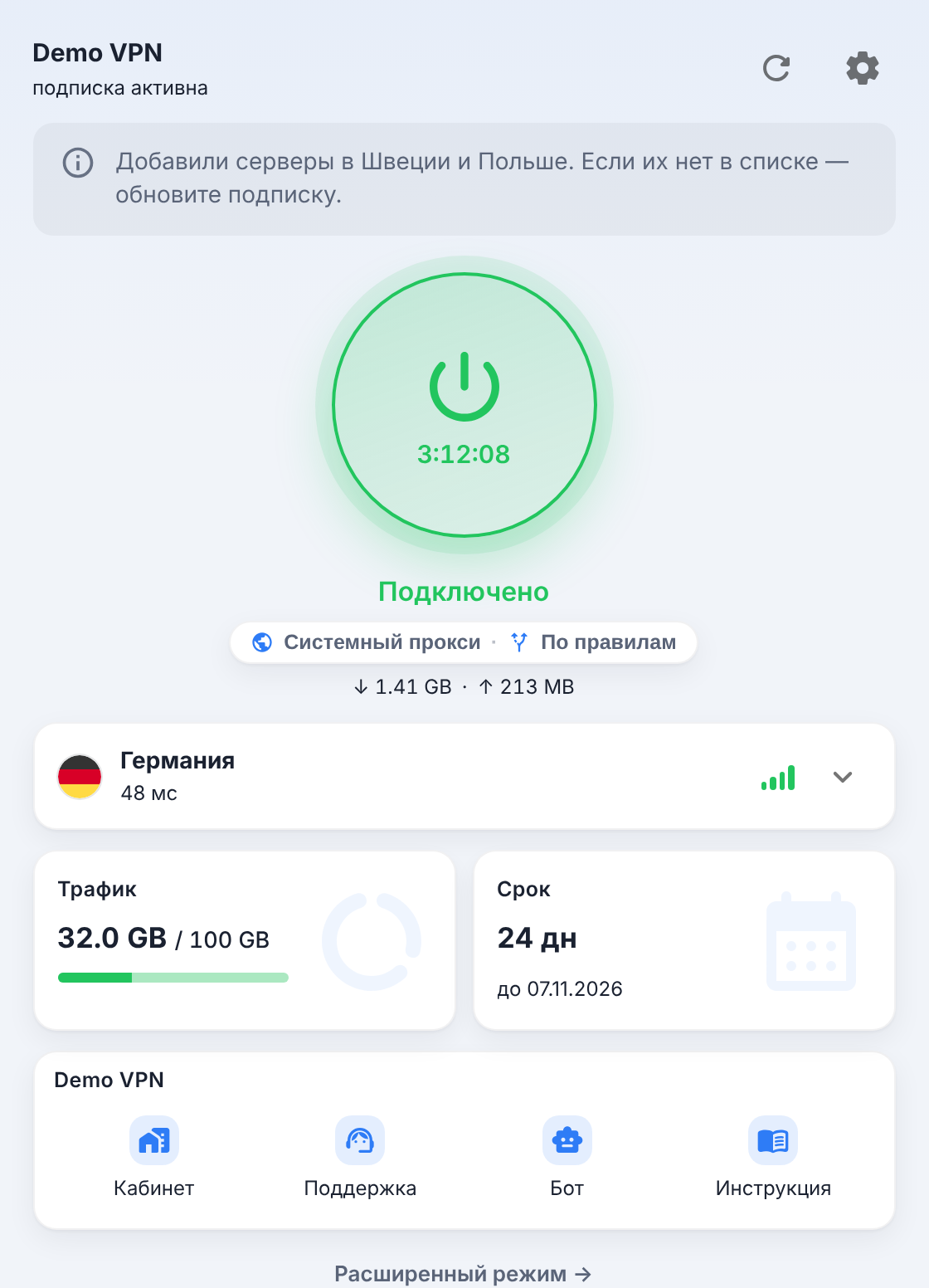
Connect. Press the big button. It turns green, "Connected" appears below it, and a session timer starts running on the button itself.
Pick a server. Tap the server card under the button and choose a server with good latency — see Servers.
By default the button turns on the system proxy — browsers and most programs go through it. If you need absolutely every program to go through the VPN (games, messengers, the console), turn on TUN mode — see Connection.
What's next
Basic setup
Connection method, start with the system, theme and language
Home screen
Simple and advanced mode, what is shown where
All settings
What the settings contain and what they are for
Updates
How the app, the core and the subscription get updated
Common errors
What a message means and what to do about it
Support report
How to give support what it needs without giving away too much
What it can do
- One screen, one button. The plan name, remaining traffic, expiry date and support links arrive together with the subscription and are shown on the home screen.
- Two connection methods: the system proxy (for browsers and most programs) and TUN mode, which captures the traffic of every app.
- Server selection with latency and flags, favorites, automatic choice of the fastest one.
- The subscription updates itself — on a schedule, even when the window is closed; if the provider's domain can't be reached directly, the download goes through the tunnel that is already up.
- Honest states. An expired subscription, used-up traffic or an empty response from the provider are explained in words, not with "0 B" and an error.
- App auto-update and a separate core update.
- Support report in one click — already stripped of subscription addresses and tokens.
The app is a fork of Clash Verge Rev. Simple mode is enough for everyday use; rules, connections, logs and config editors are all still there — in advanced mode and in the advanced settings.
Subscription support
Questions about your plan, payment, traffic and how the servers work go to your provider. For the app itself, see Help and contact.