 Clod Clash
Overview for providers
What to do in the panel so the subscription works in Clod Clash for PC, and where the user sees the panel's data
This section is for those who run a VPN service on the Remnawave panel. Users don't need to do anything here — their section is For users.
What to do
Add a response rule for the client so the panel serves Clod Clash a Mihomo configuration, and check the template — Remnawave panel setup.
Send subscription headers: name, traffic and expiry, update interval, support link — Subscription headers.
Optionally — the custom clod-* headers: account dashboard, announcements, backup address, mode
lock, connection method, window view, 16–20 server check — clod-* headers.
Optionally — the secure channel via the remnawave-subscription-middleware layer — Remnawave panel setup.
Where the user sees the panel's data
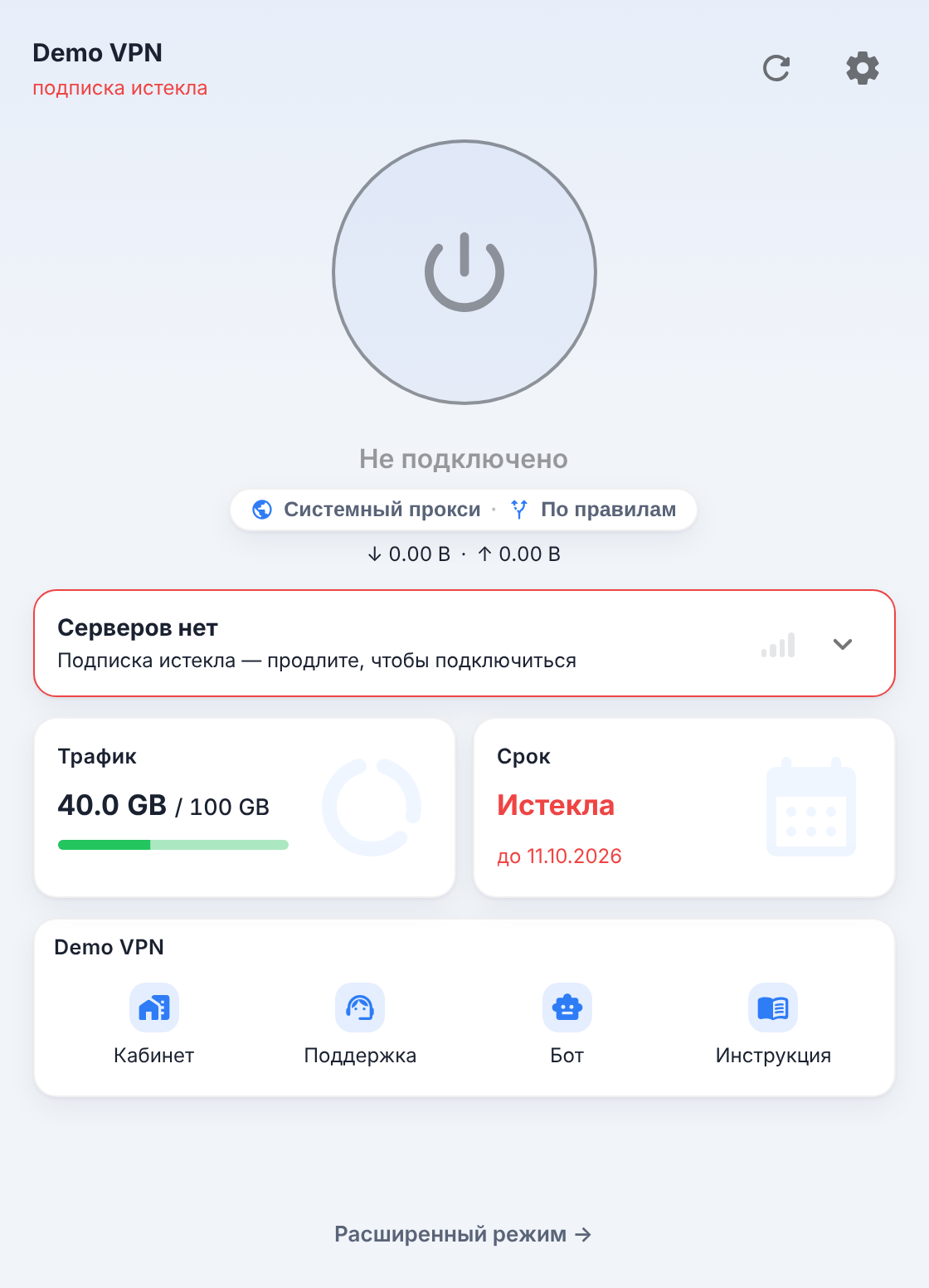
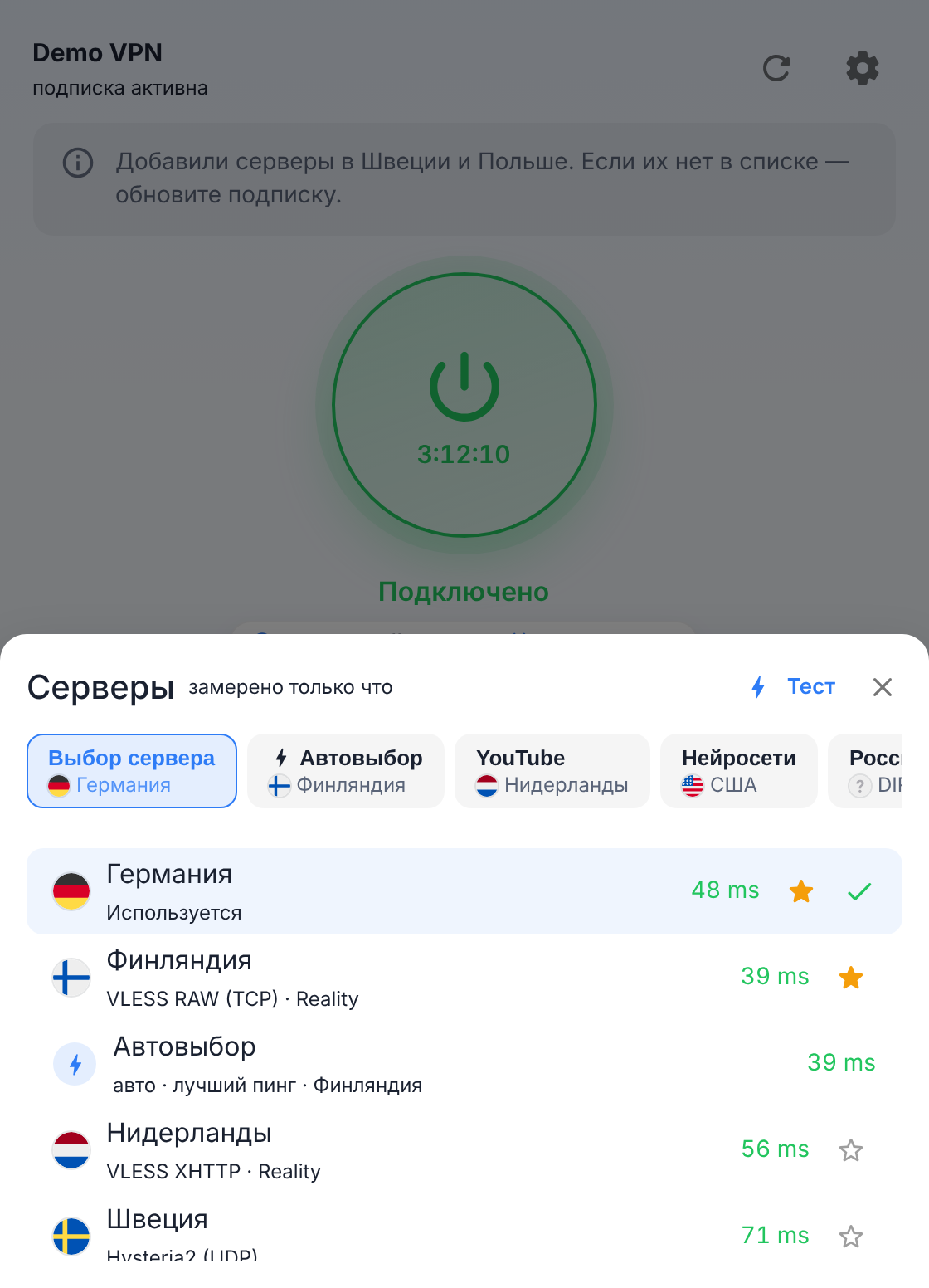
Screenshots show the Russian interface; the English one has the same layout.
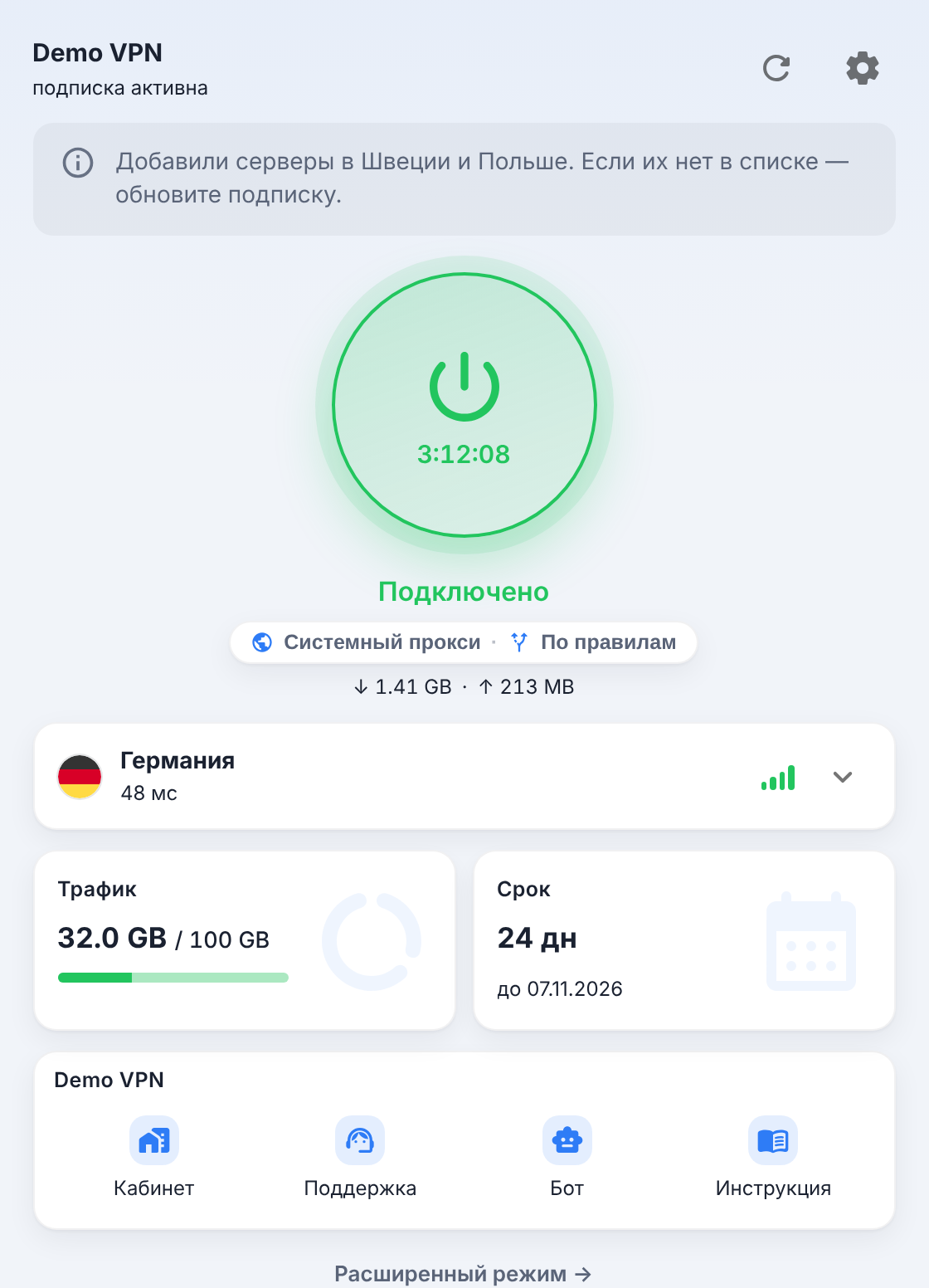
| What is shown | Where it comes from |
|---|---|
| Subscription name in the header and on the card | profile-title; the user's own name is shown first |
| "Traffic" and "Expires" cards, "Expiring", "Expired", "Out of traffic" badges | subscription-userinfo |
| Announcement under the header | announce / clod-announce, link — announce-url |
| Dismissible promo banner | clod-promo, clod-promo-url |
| "Account", "Support", "Bot", "Status", "Guide" buttons | clod-portal-url, support-url, clod-bot-url, clod-monitor-url, clod-guide-url |
| "Subscription page" in the card menu | profile-web-page-url |
| Update interval in the subscription properties (locked) | profile-update-interval |
| Expiry and traffic reminders | notify-expire-days, notify-traffic-percent |
| Mode "set by your provider" | clod-lock-mode |
| What the connect button turns on | clod-connect-mode |
| Simple or advanced view by default | clod-simple-mode |
| Ping colors, bars, dot or numbers | clod-ping, clod-disable-ping, clod-latency-style |
| Protocol caption on servers | hidden by clod-hide-badges; a custom description — the node's serverDescription |
| Snowflake icon on a server | clod-16-20-check |
| "Device limit reached" window | x-hwid-max-devices-reached, x-hwid-limit, x-hwid-not-supported |
| "No servers" with a reason | the panel's placeholder nodes; to show them as is — clod-show-0hosts |
Good to know
- The client only accepts subscriptions over
https://(andclash:///clodclash://deep links with anhttps://address inside). - The errors a user sees when a subscription fails are listed in Common errors — useful for support.
- Which core is inside and what the client sets for it itself — Clod Core.