 Clod Clash
Overview for providers
What to do in the panel so the subscription works in Clod Clash for Android, and where the user sees panel data
This section is for those who run a VPN service on the Remnawave panel. Users have nothing to do here — their section is For users.
What to do
Add a response rule for the client so the panel gives Clod Clash a mihomo configuration — Panel setup.
Send the subscription headers: title, traffic and expiry, update interval, support link — Subscription headers.
Optionally — the client's own clod-* headers: customer portal, announcements, a backup address,
mode lock, the 16–20 server check and more — clod-* headers.
Optionally — the secure channel through the remnawave-subscription-middleware layer — Panel setup.
Where the user sees panel data
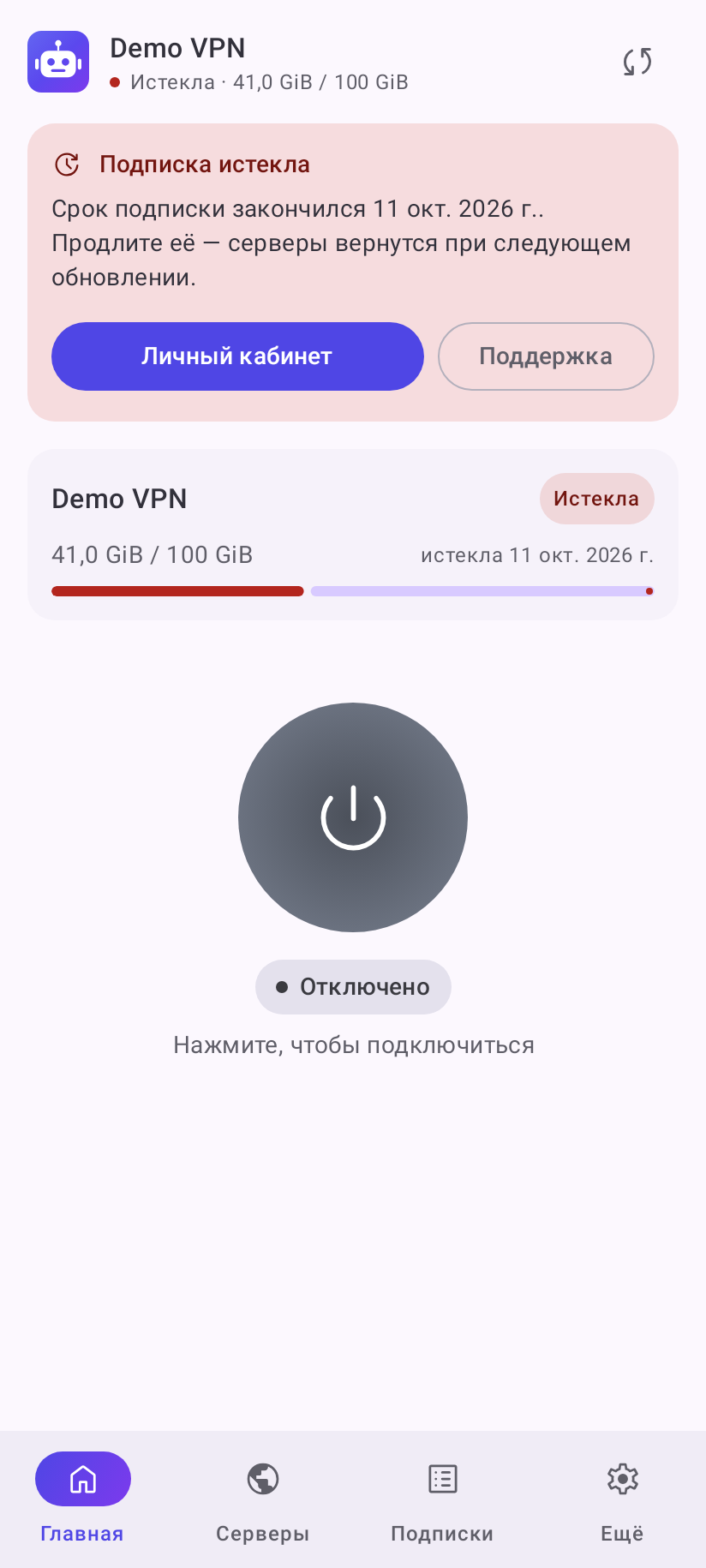
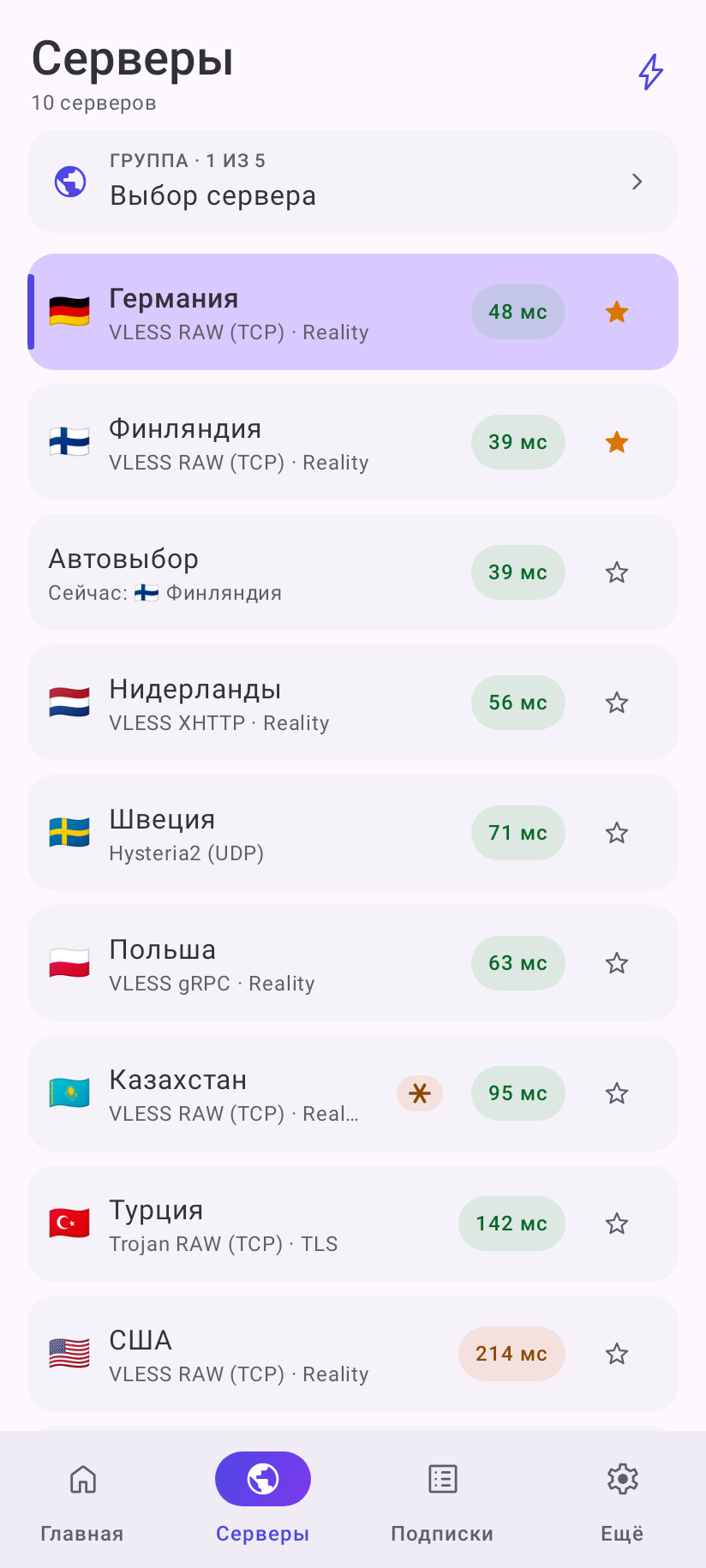
Screenshots show the Russian interface; the English one has the same layout.
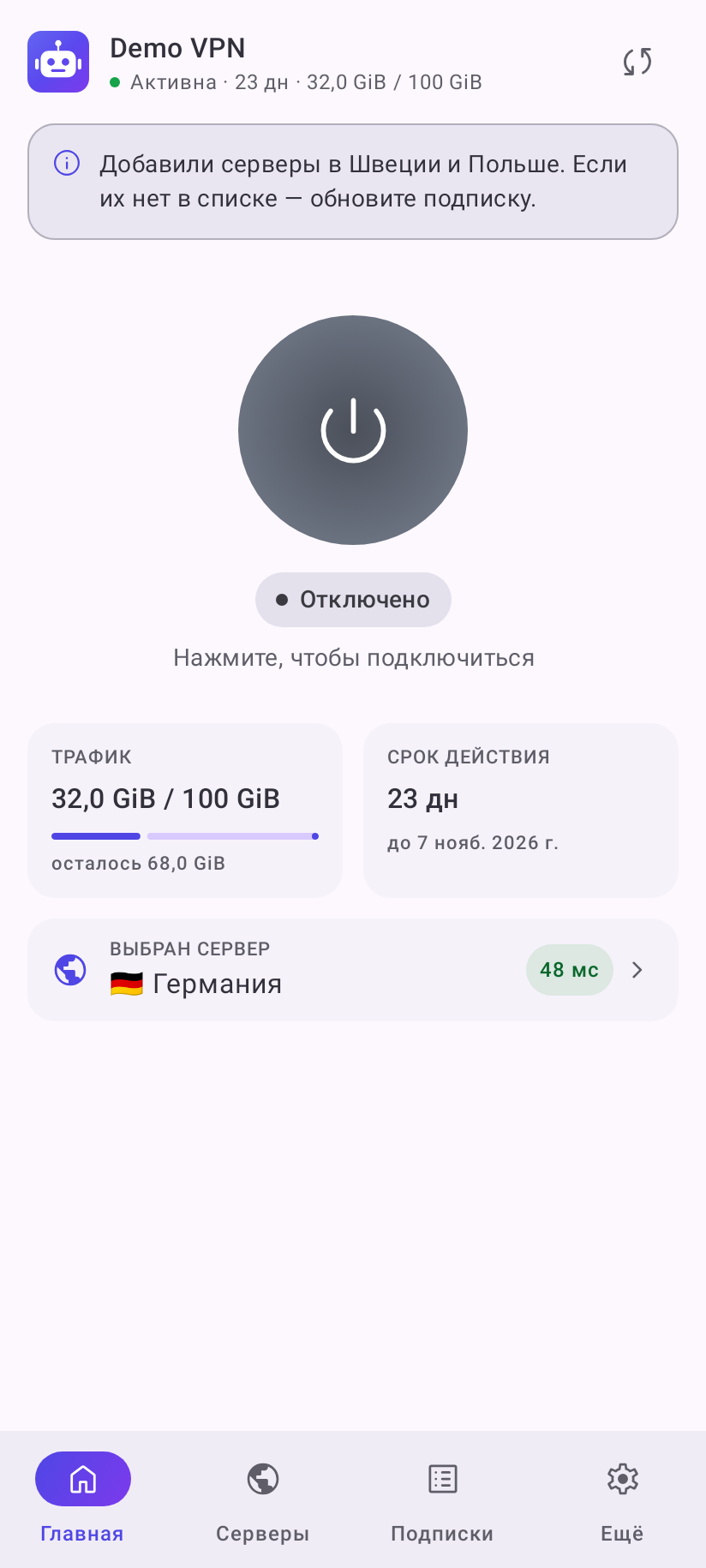
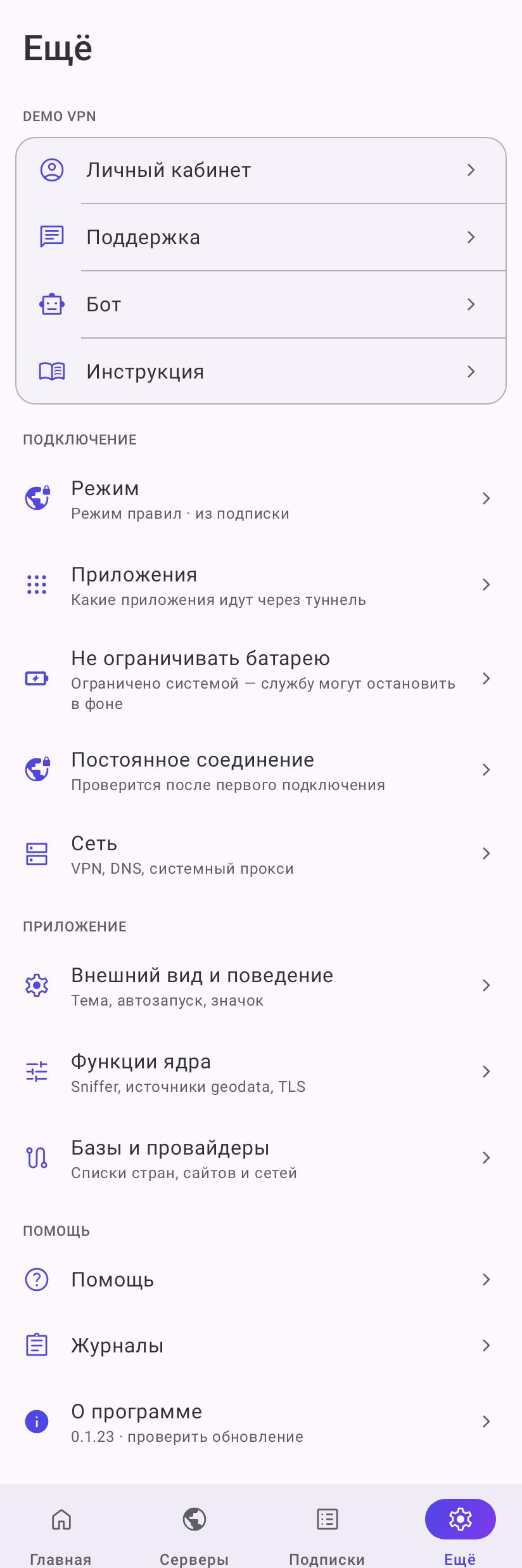
| What is visible | Where it comes from |
|---|---|
| Subscription title and logo in the header | profile-title, profile-logo |
| “Active · 23 d · 32.0 GiB / 100 GiB”, the Traffic and Expires in cards | subscription-userinfo |
| Announcement under the header | announce / clod-announce, link — announce-url |
| Promo banner with a cross | clod-promo, clod-promo-url |
| Links block on the More tab | support-url, clod-portal-url, clod-bot-url, clod-monitor-url, clod-guide-url |
| Customer portal and Support buttons on the subscription card near the end | clod-portal-url, support-url |
| Auto update interval in the subscription properties | profile-update-interval |
| Reminders about the end of the term and traffic | notify-expire-days, notify-traffic-percent |
| “set by your provider” next to the mode | clod-lock-mode |
| Delay colors or check marks instead of milliseconds | clod-ping, clod-disable-ping |
| Protocol caption under servers (“VLESS RAW (TCP) · Reality”) | hidden by clod-hide-badges; your own text — the node's serverDescription |
| Snowflake badge on a server | clod-16-20-check |
| “Device limit reached”, “Device not identified” cards | x-hwid-max-devices-reached, x-hwid-limit, x-hwid-not-supported |
| “Subscription expired”, “Out of traffic”, “The provider sent no servers” cards | the panel's placeholder nodes; show them as is — clod-show-0hosts |
Good to know
- The app adds a subscription only from an
https://link (or aclodclash://install-config?url=…deep link).http://links are not accepted. - By default no app goes through the tunnel until the user checks it — unless the subscription sent
its own app list (
tun.include-package/tun.exclude-package). Warn users in your guide or send an exclusion list: then all apps except the listed ones go through the tunnel. The old “all apps” can be brought back with theclod-app-mode: allheader. - The network stack, mode and other parameters come from the MIHOMO template. What the app overwrites and what it keeps — in Panel setup and Clod Core.
- The errors users see when a subscription fails are listed in Common errors — handy for your support.